There is a point, usually two or three months after arriving, when every foreigner living in Spain runs into the same wall. A form can only be filed online. A document can only be downloaded from a government portal. An appointment can only be booked by someone the system already recognises. The answer, every single time, is the certificado digital — and the guides that explain how to get one are almost all written for Spanish nationals, which means they recommend a route you cannot use.
This guide covers both of Spain’s digital identity systems, the certificado digital issued by the FNMT and the government’s Cl@ve system, with the eligibility restrictions that apply specifically to foreign residents holding an NIE rather than a Spanish DNI. It is written from the process as it actually runs in 2026, including the screens you will see and the email you will receive.
Certificado digital and Cl@ve are two different things
They are constantly confused, including by people who use both daily. The distinction matters because they fail in different ways and you will eventually want both.
| Certificado digital (FNMT) | Cl@ve | |
|---|---|---|
| What it is | A cryptographic file installed in your browser or device | A government login system: an app, a PIN, or a password |
| Issued by | Fábrica Nacional de Moneda y Timbre | The Spanish public administration |
| Cost | Free (video identification route costs €2.99 + VAT) | Free |
| Signs documents | Yes, legally binding electronic signature | Only via Cl@ve Firma, which needs advanced registration |
| Main weakness | Tied to the device it is installed on; expires | Not accepted everywhere a certificate is |
In blunt terms: the certificado digital is the serious one. It is what you need to file a tax return yourself, to sign a document with legal effect, or to access the parts of the Agencia Tributaria and Seguridad Social portals that do not accept a simple login. Cl@ve is faster and friendlier, works from your phone, and covers the large majority of everyday consultations.
The route most guides recommend is closed to you
The FNMT offers four ways to obtain the certificate as a downloadable file: in person at an accreditation office, by video identification, using an electronic DNI, or through its mobile app. Search in English and you will overwhelmingly be told to use video identification, because it takes twenty minutes and requires no appointment.
Read the FNMT’s own page for that route and the reason it will not work becomes clear: completing the video identification requires a valid electronic DNI. Not a passport, not a TIE, not a green EU registration certificate. The DNIe route obviously requires the same document. The mobile app’s video identification service is likewise limited to holders of a current DNI.
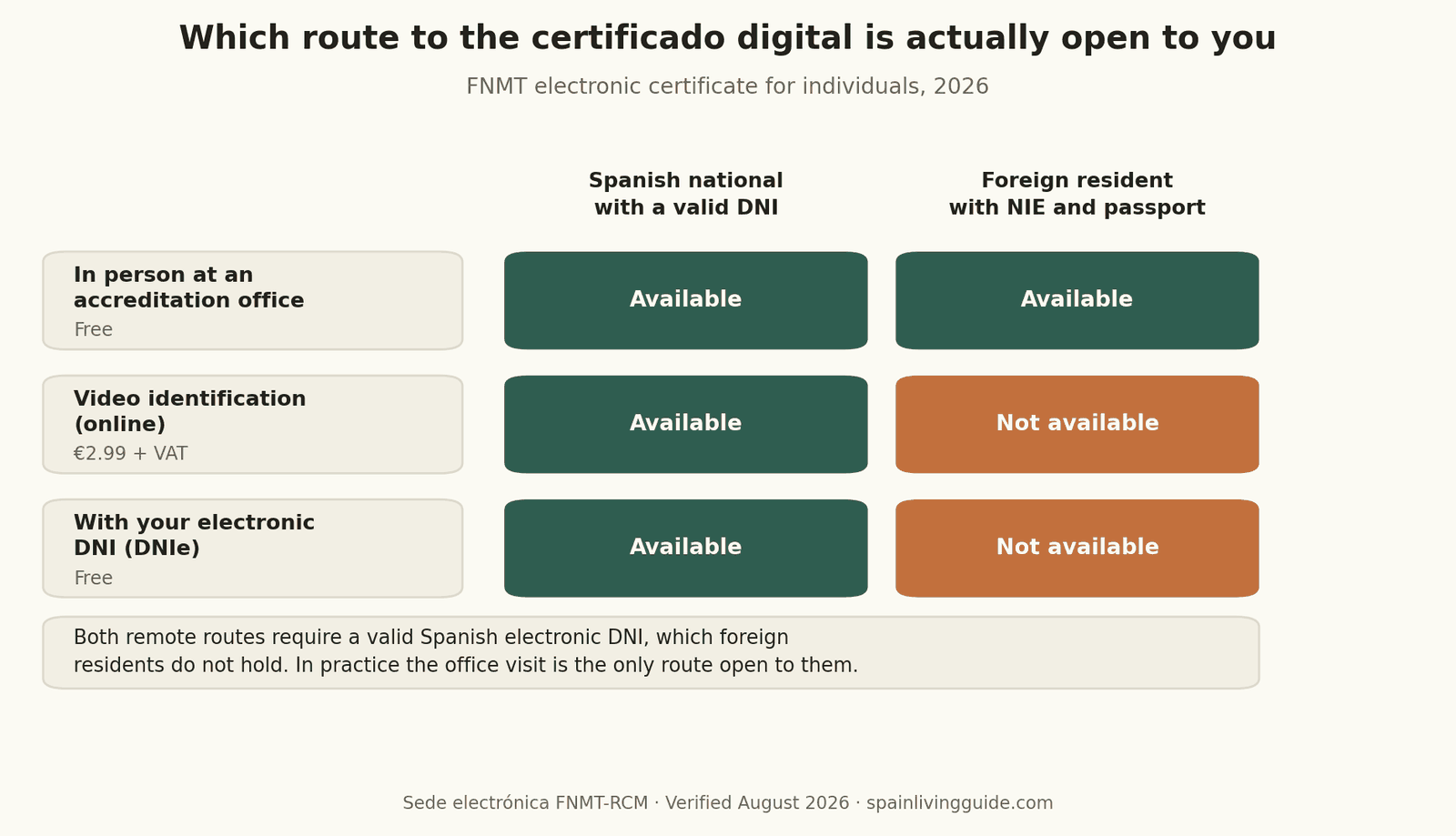
Unless and until you naturalise, the office visit is your route. The good news is that the FNMT has more than 2,400 accreditation offices across Spain, and the appointment itself takes about five minutes. The bad news is that you have to do three things in the right order and on the right computer, and getting that wrong is what sends people back for a second visit.
Two exclusions are worth stating plainly because they are the most common wasted journeys. The certificate cannot be requested through Correos — the FNMT says so explicitly. And offices of the Agencia Tributaria and the Seguridad Social, which are the ones most people find first, generally require an appointment booked in advance.
Step 1: Configuración previa, and the rule that trips everyone
Before requesting anything, install the FNMT’s configuration software on the computer where you want the certificate to live. This is not optional and it is not a formality; the request will simply not complete without it.
Then commit to a decision, because it binds the entire process: the request and the download must happen on the same computer, in the same browser, under the same user account. The request generates a key pair on that machine, and the download expects to find it there. A shared laptop, a work computer you might hand back, or a browser you are about to replace are all bad choices. If you reinstall your operating system between the request and the download, the request is dead and you start again.
Step 2: The online request and the código de solicitud
The request form itself is short. You provide your NIE, your surnames exactly as they appear on your identity documents, and an email address. Get the name field right: it must match your NIE documentation character for character, including both surnames if your documents carry two, because the office will compare them.
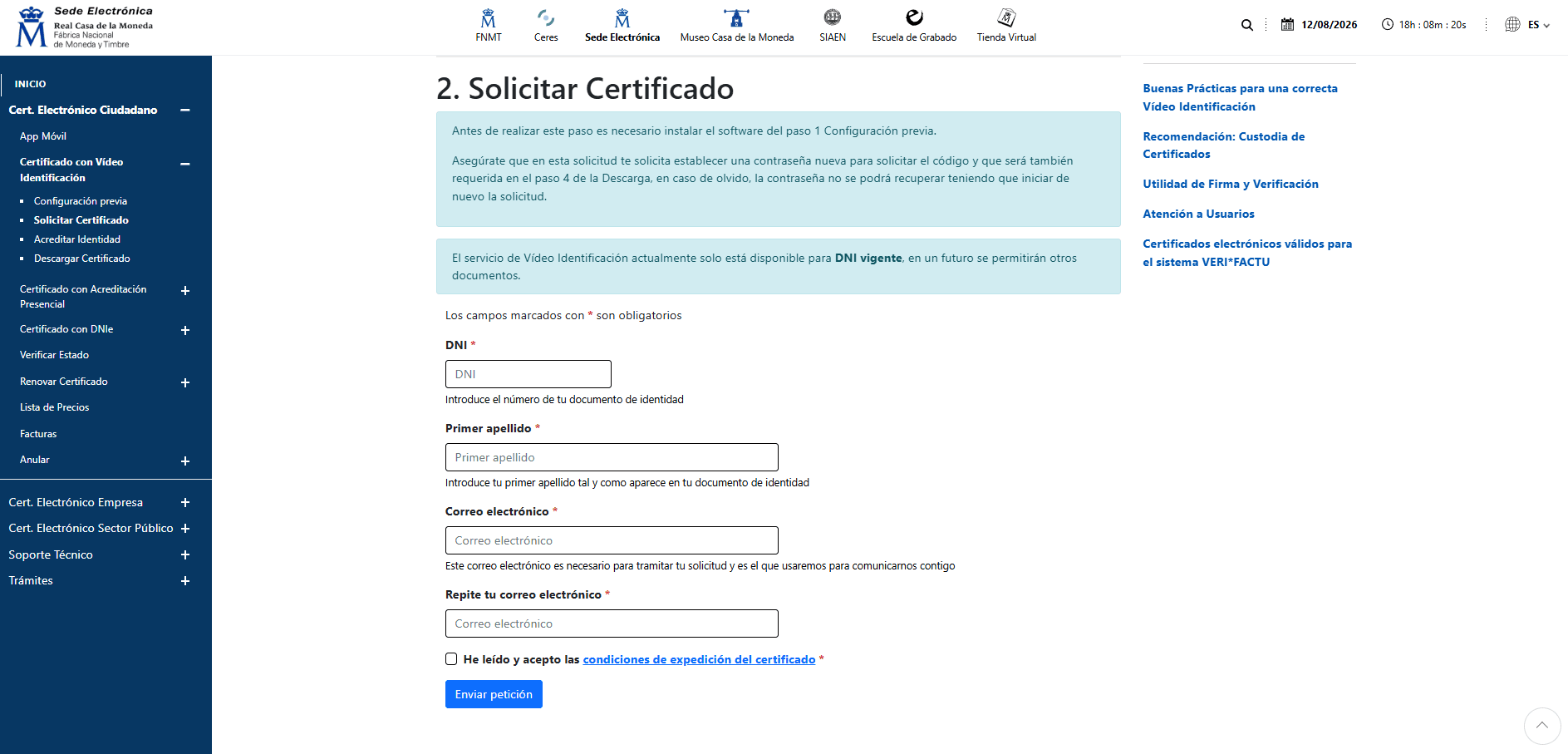
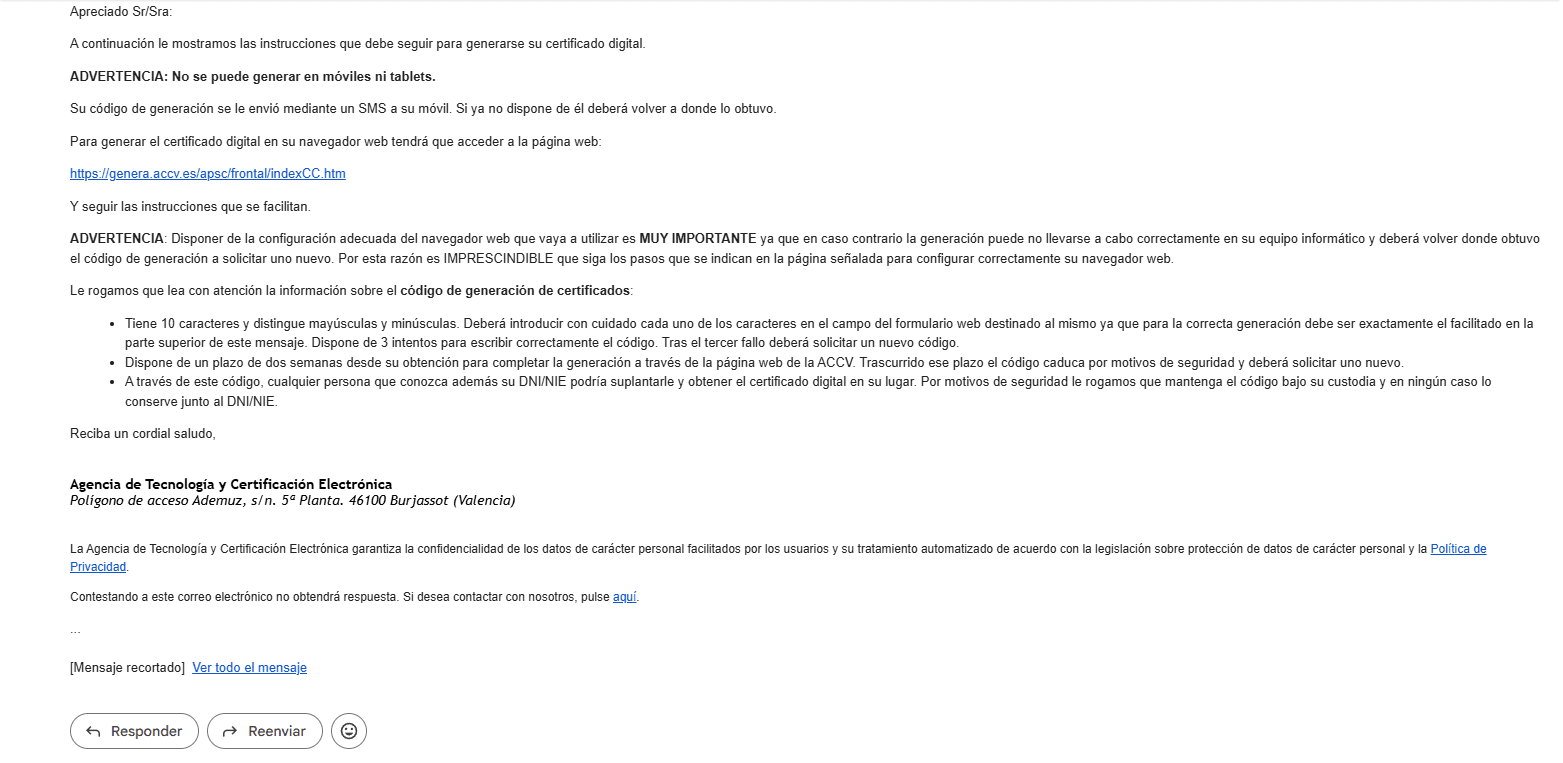
When you submit the form, the FNMT emails you a código de solicitud, a request code. This code is the thread that runs through the rest of the process: you need it at the office to accredit your identity, and you need it again afterwards to download the certificate. Save the email. Do not delete it once you have been to the office, because you are not finished.
Step 3: Accrediting your identity in person
You must attend personally. Spanish law does not allow a representative to do this on the strength of an ordinary power of attorney; if you genuinely cannot attend, a third party may go in your place only after your signature on the certificate contract has been legitimised before a notary, which costs more and takes longer than simply going yourself.
What to bring depends on your nationality, and the FNMT’s list is more generous than most people expect.
| Your status | Documents required, alongside the request code |
|---|---|
| Spanish national | DNI, passport or driving licence |
| EU citizen | A foreigner identification document showing the NIE, or an EU citizen registration certificate showing the NIE, or the official document granting the NIF/NIE — in each case together with a passport or national identity document from your country of origin |
| Non-EU national | The red, green or white foreigner identification card showing the NIE, or the official document granting the NIF/NIE, together with your passport |
Read the wording on the NIE documents carefully, because it contains a concession almost nobody knows about. The FNMT accepts the document that granted your NIE regardless of whether that document is still in date, provided it establishes that you hold the NIE. Your passport must be current; the NIE paperwork does not have to be. If you are an EU citizen whose green A4 registration certificate is years old, or a non-EU resident whose card has expired while a renewal is processed, this is the line that saves your appointment. If you are still working out which of these documents you actually have, our guide to NIE, TIE and empadronamiento sets out the differences.
One further option is easy to miss and genuinely useful if you have not yet moved: Spanish career consular offices abroad can carry out the accreditation. You can hold a working certificado digital before you ever set foot in Spain, which makes the first weeks after arrival considerably less painful. Customs registries cannot do it.
Step 4: Download it, then back it up properly
Once your identity has been accredited, the download becomes available — the FNMT tells you to do it as soon as possible, and its own process summary suggests allowing about an hour after leaving the office. Return to the same computer and the same browser, enter your identity number and the request code, and the certificate installs itself.
Then do the step that most people skip: export a backup copy. The FNMT recommends it and the reason is unforgiving — a certificate that exists only inside a browser on one machine disappears with that machine. Export it as a password-protected file, store it somewhere you will still have access to in three years, and remember that the password protects a legally binding signing credential. Treat losing it as seriously as losing a passport, and cancel the certificate immediately if you think it has been copied.
Cl@ve, and why the video registration route is also closed
Cl@ve is the government’s shared identification system. Once registered, you can use it in three modes: Cl@ve Móvil, which pushes an authentication request to the Cl@ve app on your phone and is now the default; Cl@ve PIN, a single-use code for occasional access; and Cl@ve Permanente, a username-and-password login built around your DNI or NIE, reinforced by a one-time SMS code for higher-security procedures.
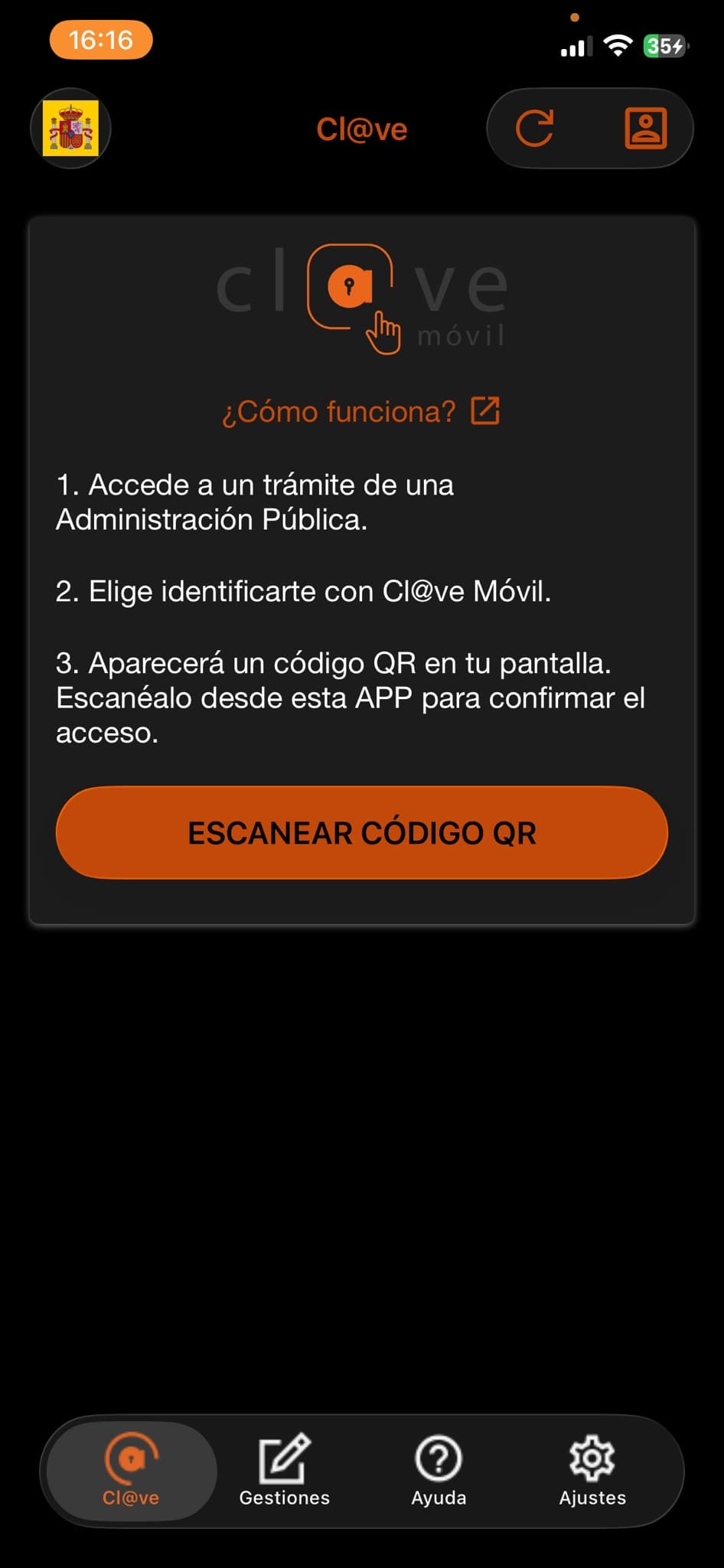
Registration comes at two levels. Basic registration, obtained online, unlocks a large number of services but not all of them, and never unlocks Cl@ve Firma. Advanced registration unlocks everything.
And here the same restriction reappears. Cl@ve’s headline new feature is instant registration by automatic video identification through the app — and the official page states that this is temporarily offered only to Spanish citizens holding a valid DNI. The word to hold onto is “temporarily”: this is a stated limitation of the current rollout rather than a permanent rule, so it is worth rechecking before assuming you are excluded.
That leaves foreign residents three practical routes into Cl@ve. The cleanest by a wide margin is to register online using the certificado digital you have just obtained, which grants advanced registration immediately and without leaving your desk. That is the single strongest argument for getting the certificate first and Cl@ve second, rather than the other way round. Alternatively, you can register in person at an office of the AEAT, the Seguridad Social, the SEPE, a Delegación or Subdelegación del Gobierno, or one of the many regional and local offices that have joined the network. Registration by invitation letter, sent to your registered fiscal address, is the third route.
Which route is open to you, and what to bring
Select your situation to see which FNMT routes you can use and the exact documents the accreditation office will ask for.
How this is worked out
The FNMT requires a valid electronic DNI to complete video identification and, self-evidently, to use the DNIe route. Accreditation in an office is open to everyone and the FNMT publishes a separate documentation list for Spanish nationals, EU citizens and other foreign nationals. Documents proving possession of the NIE are accepted whether or not they remain in date; the passport or national identity document presented alongside them must be current.
For Cl@ve, registration by automatic video identification is stated by the administration to be temporarily restricted to Spanish citizens holding a DNI in force. Everyone else registers online with an electronic certificate, in person at a registration office, or by invitation letter.
Verified August 2026 against the sede electrónica of the FNMT-RCM and the Cl@ve portal of the Spanish administration. Guidance only, not legal advice. Confirm requirements with the specific office before travelling.
Expiry, renewal, and the 2028 ceiling nobody mentions
Certificates for individuals are issued for four years. That is the figure every guide quotes, and in 2026 it is misleading.
Current certificates are issued by the certification authority known as AC FNMT Usuarios, and the FNMT’s own answer to the question of validity is unambiguous: certificates from that authority run until 31 December 2028. A certificate obtained today therefore has a little over two years to run, not four. Open the certificate details in your browser and read the actual expiry date rather than counting forward from the day you downloaded it.
Renewal is free and can be requested online during the 60 days before expiry, using the certificate you are replacing to authenticate. Miss that window and there is no grace period: an expired certificate cannot be renewed, and you begin the whole process again with a fresh office appointment.
There is one more restriction with a silver lining for foreign residents. Online renewal is not available if you obtained your certificate by identifying yourself with another digital certificate, with a DNIe, or by video identification, or if you have already renewed once. Because the office route is the only one open to you, your first renewal can be done online — which is more than can be said for a Spanish national who took the twenty-minute video route.
Mistakes that cost people a second trip
- Requesting on one computer and downloading on another. The single most common failure, and unrecoverable. Same machine, same browser, same user profile.
- Turning up without the request code. The office cannot look it up for you. Have the email open on your phone.
- Going to Correos. Explicitly excluded by the FNMT.
- Turning up at a tax or social security office without an appointment. Most require one.
- Names that do not match. If your NIE document shows two surnames and you entered one, the office will refuse.
- Requesting a second certificate while the first is alive. Requesting a new certificate cancels the one you already hold, and the mobile app route auto-revokes any existing certificate. Only one is valid at a time.
- Never exporting a backup. The certificate lives on one machine until you make a copy of it.
- Letting it expire. Put the expiry date in your calendar with a reminder 70 days beforehand.
What you will actually use it for
Once installed, the certificado digital unlocks essentially the whole of Spanish e-government. You will use it to file your annual income tax return and check what the tax authority already knows about you, covered in our guide to IRPF for foreign residents. It is how you file the informative declarations on assets held abroad discussed in our guide to Modelo 720 and Modelo 721, and how you deal with the annual obligations that come with property ownership set out in our guide to IBI, plusvalía municipal and the taxes of owning a Spanish home.
Beyond tax, it is the key to your Social Security records and working life history, to the registration procedures required if you go self-employed as explained in our guide to choosing between autónomo and an SL, to traffic authority procedures including the licence exchange described in our guide to exchanging a foreign driving licence, and to regional health portals of the kind covered in our guide to getting your tarjeta sanitaria. If you are still mapping out the sequence of everything that has to happen after arrival, our complete guide to moving to Spain puts these steps in order.
Frequently asked questions
Do I need to be a resident to get a certificado digital?
No. What you need is an NIE and a passport. Non-resident property owners routinely hold one, and it is the practical way to handle the annual non-resident obligations that come with owning a Spanish home without paying someone else to file them.
Can I install the certificate on more than one device?
Yes, by exporting the backup file and importing it elsewhere. This is why the export step matters. What you cannot do is download the same certificate twice from the FNMT.
Is the certificate free?
The certificate itself costs nothing, both to obtain and to renew. The only charge is €2.99 plus tax for the video identification service — which, as covered above, is not available to you unless you hold a Spanish electronic DNI.
Should I get the certificado digital or Cl@ve first?
The certificate, without hesitation. It requires one office visit and then lets you complete advanced Cl@ve registration online in minutes. Doing it the other way round means two separate trips.
What happens to my certificate if my NIE document expires or is renewed?
Nothing. The certificate is tied to your NIE number, which does not change when the physical card is renewed. Your certificate remains valid until its own expiry date.
Can I use a Spanish digital certificate from outside Spain?
Yes. It is a file on your device and works from any internet connection. This matters for anyone splitting time between countries, or drawing a pension from more than one system as described in our guide to totalisation of pension contributions.
This article is general information, not legal or administrative advice. Procedures and eligibility rules for Spain’s digital identity systems change, and individual offices apply documentation requirements with some variation. Requirements, costs and validity periods were verified in August 2026 against the Fábrica Nacional de Moneda y Timbre’s published guidance on the electronic certificate for citizens, its pages on accrediting your identity in person, obtaining the certificate by video identification and renewing the certificate, and against the Spanish administration’s Cl@ve portal on registration methods, registration by automatic video identification and registration in person. Confirm current requirements with the relevant office before travelling.